Browse by Solutions
Browse by Solutions
How do I build my business profile template?
Updated on October 31, 2013 04:54AM by Admin
Steps to Edit Business Profile
- Log in and access Xinnect App from your universal navigation menu bar.
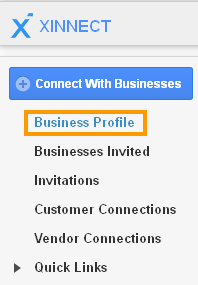
- Click on "Business Profile" from left navigation panel.
- In business profile dashboard, click on “Profile” tab.
- Business profile builder helps you to modify:
- Home
- Answers (Data from Answers App will be displayed)
- Contacts (Address and Contact Info)
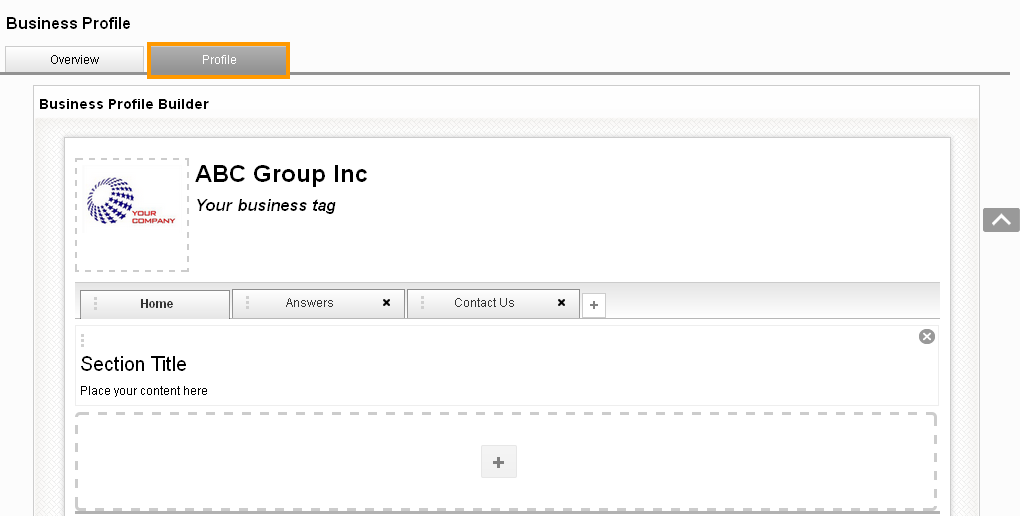
- Click on “+” to add sections and "x" to remove sections with the above fields.
- All changes are updated automatically.
Flag Question
Please explain why you are flagging this content (spam, duplicate question, inappropriate language, etc):