Browse by Solutions
Browse by Solutions
How do I view Vendor Connections in Xinnect App?
Updated on October 11, 2015 11:42PM by Admin
Steps to view Vendor Connection
- Log in and access Xinnect App from your universal navigation menu bar.
- Click on "Vendor Connections" from left navigation panel.
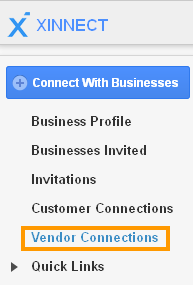
- It displays a list of vendor connections.

- You can view business with the following fields:
- Customer #
- Customer Name
- Phone
Flag Question
Please explain why you are flagging this content (spam, duplicate question, inappropriate language, etc):