Browse by Solutions
Browse by Solutions
How do I View Quick Links in Xinnect App?
Updated on June 28, 2022 04:17AM by Admin
Quick Links is the feature that helps you to store the links that are used often so that you can retrieve them with ease. You can add Quick links as per your business requirements.
Steps to view Quick Links:
- Log in and access Xinnect App from your universal navigation menu bar.
- Click on Quick Links from the left navigation panel.
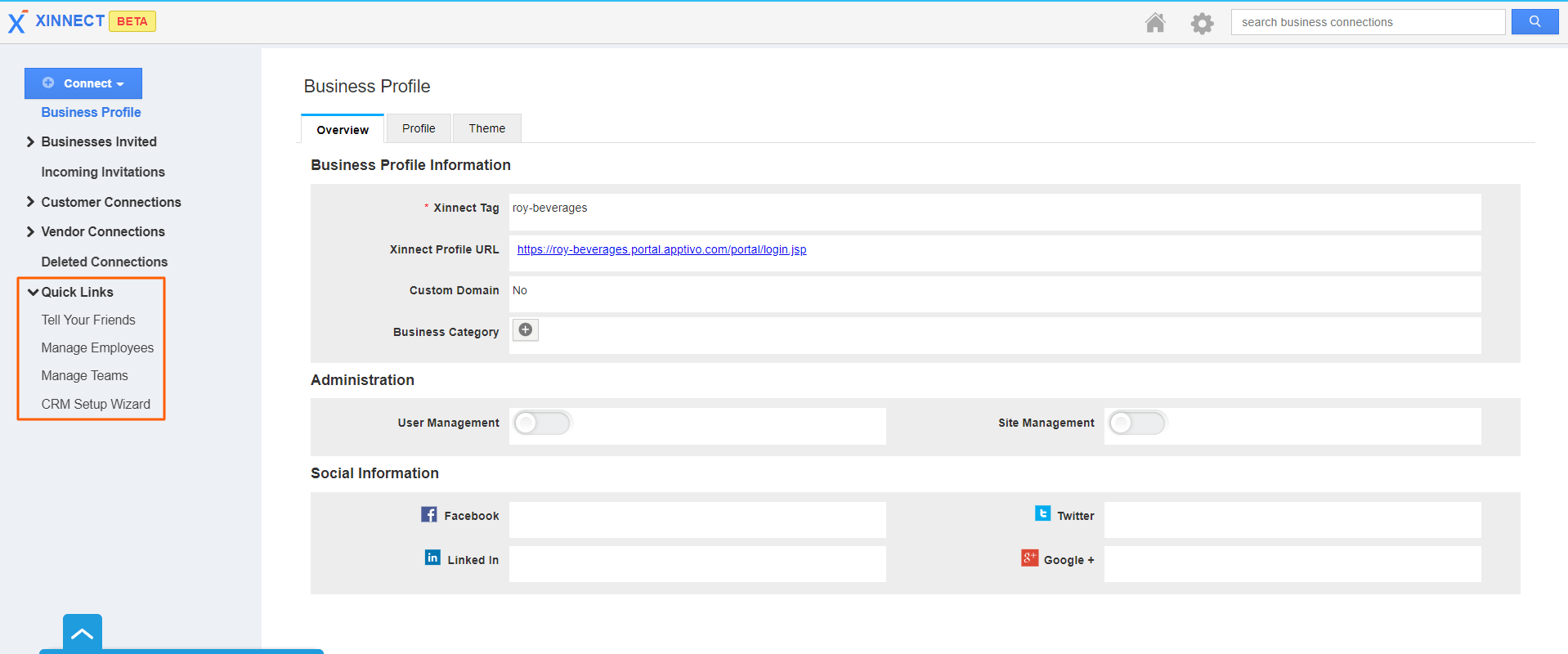 |
- You can view default and custom added quick links in the drop-down.
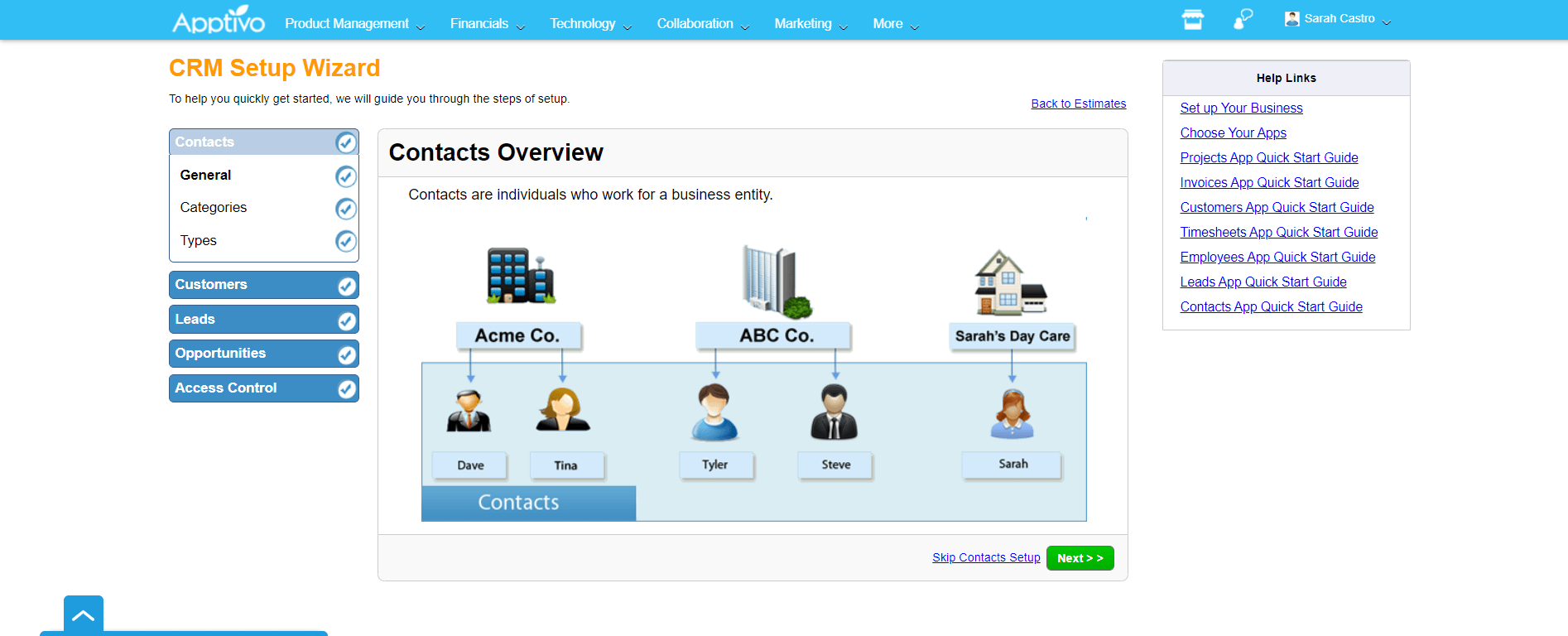
- Click on the link to view the web page. For instance: CRM Setup Wizard.
- You can view "CRM Setup Wizard" in a separate tab, as shown below:
 |
Flag Question
Please explain why you are flagging this content (spam, duplicate question, inappropriate language, etc):