Browse by Solutions
Browse by Solutions
What if I can't import or upload my contacts? Can I create contacts manually?
Updated on September 12, 2013 08:08AM by Admin
Of course! You can create a contact directly from the Contacts App.
Steps to Create Contact
- Log in and access Contacts App from your universal navigation menu bar.
- Click on “Create Contact” from left navigation panel.

- “Create Contact” page appears, in which provide:
- Contact Details
- Contact Information
- Address Information
- Additional Information
- Hobbies & Interest
- Social Information
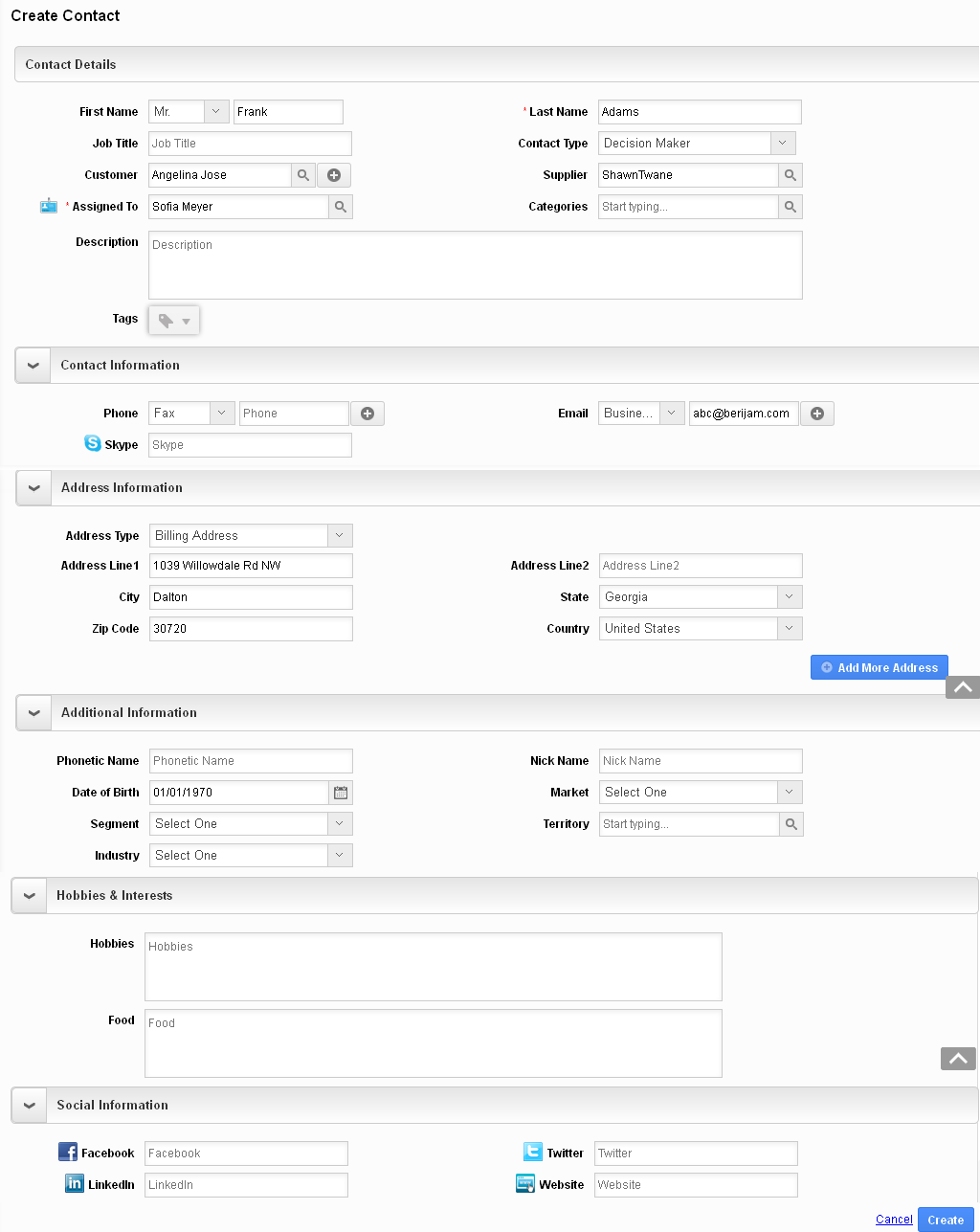
- Click on “Create” button to finish.
Flag Question
Please explain why you are flagging this content (spam, duplicate question, inappropriate language, etc):