A sales lead is nothing but an individual or business showing interest in your Product/services. If the lead gets satisfied with your products/services then they will turn into your potential customer. If not, the lead moves on to other products. In such cases, you need to delete the leads from your list.
Steps to Modify Lead Name
- Log in and access Leads App from your universal navigation menu bar.
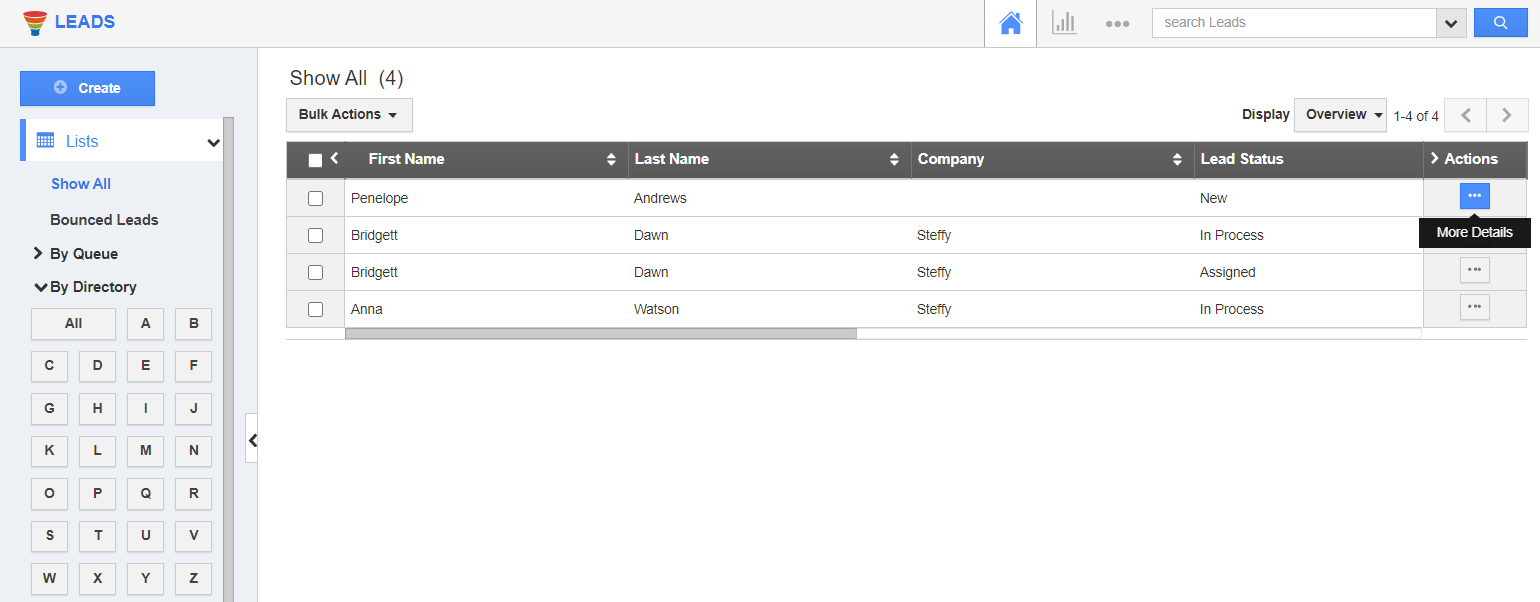
- Select "Lists" dropdown. Click on “Show All” from the left navigation panel.
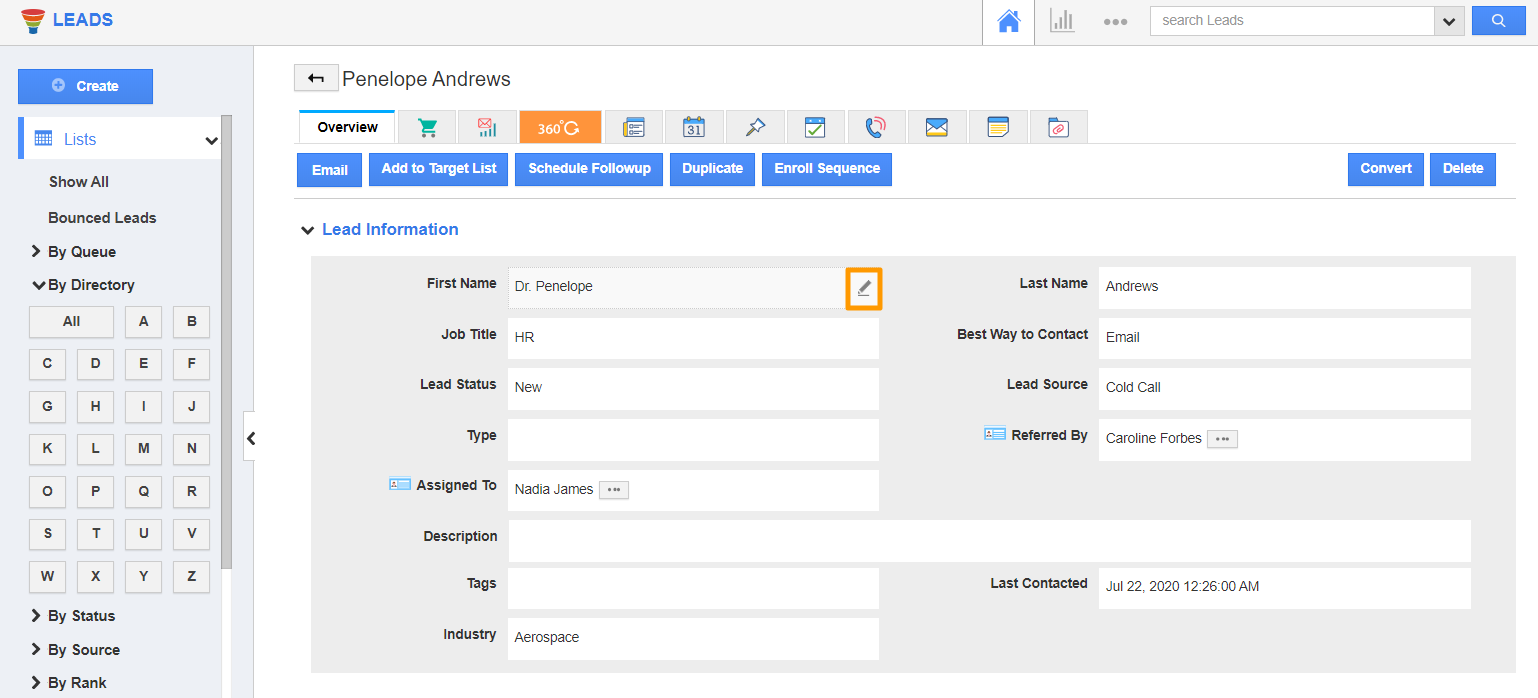
- Click on the "More Details" icon to overview the lead’s information. Hover the first name or last name field based on your requirement. A pencil icon will appear.
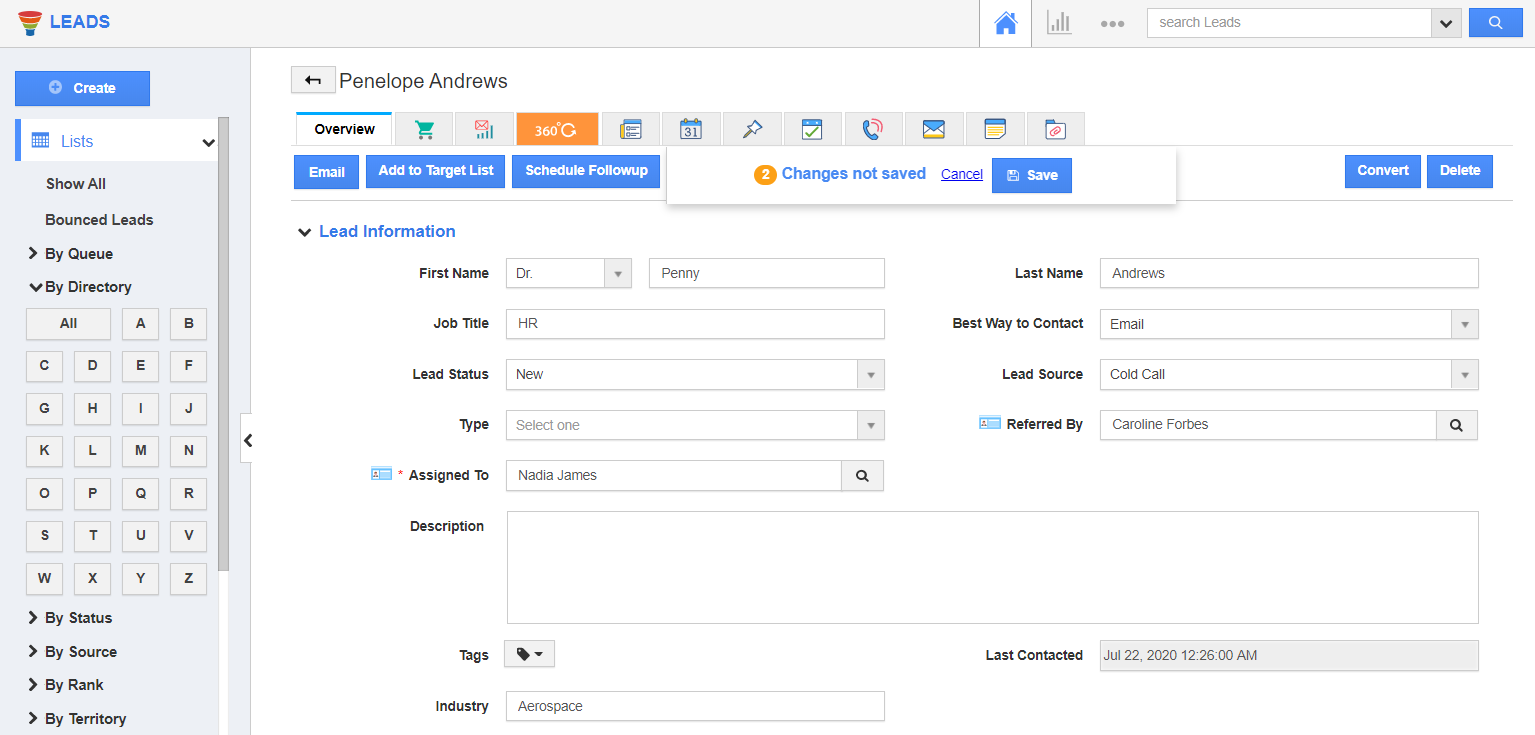
- Click on it and modify the required field.
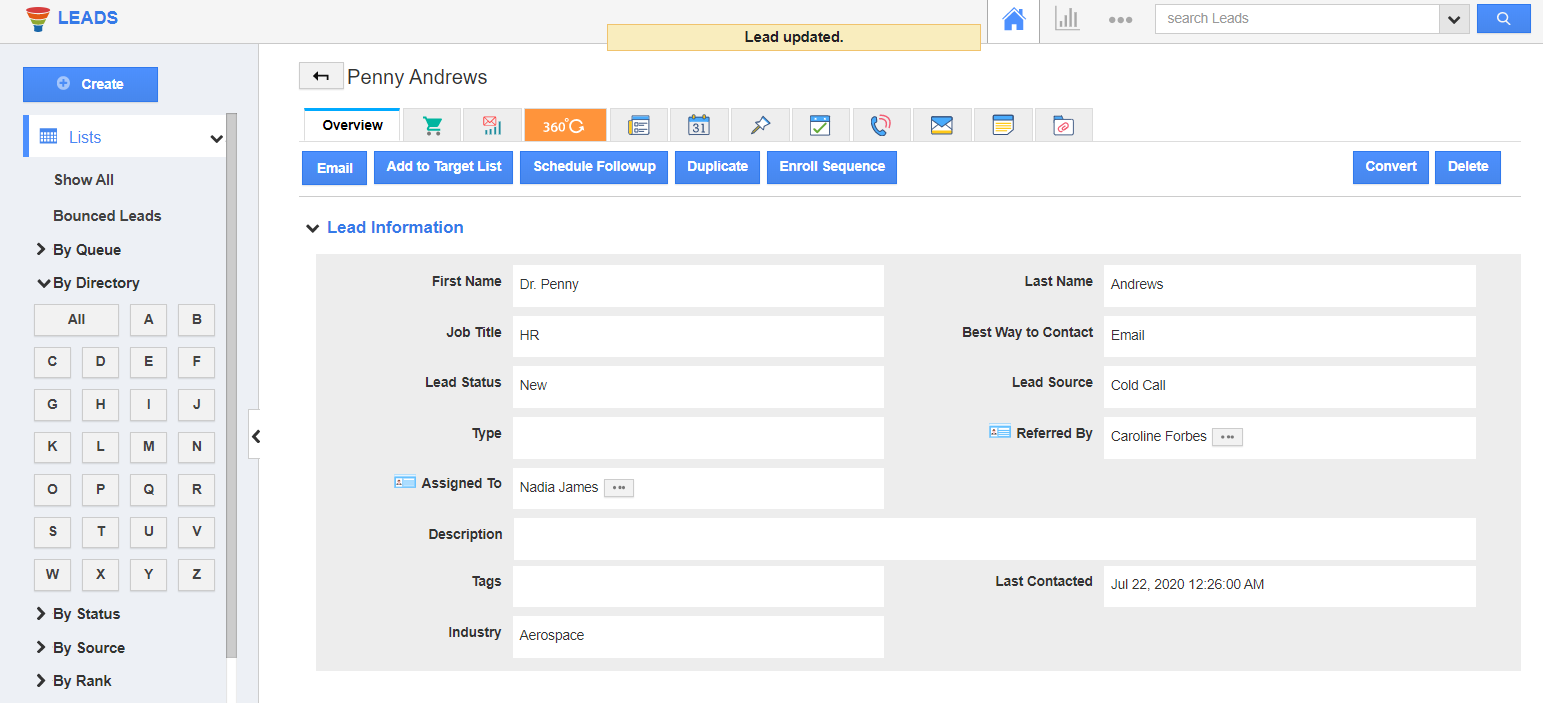
- Click on the "Save" button to update the changes as shown in the image:
Related Links
Read more about: