Apptivo allows you to convert your records from the Move Transactions app to another app. You have the facility to custom convert the records. Here, you can decide which attributes in the Move Transactions app has to be converted to any other apps.
Steps to perform a conversion
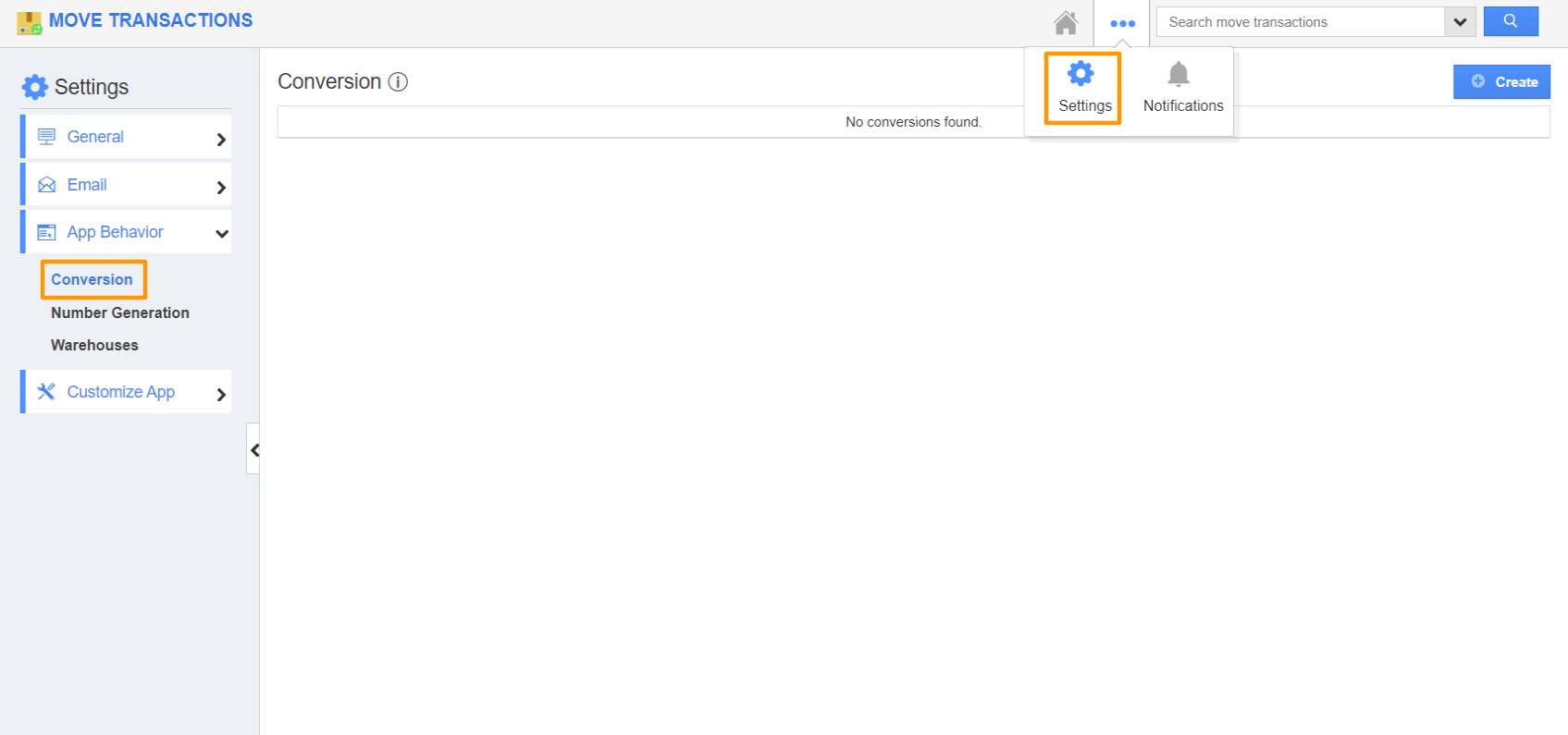
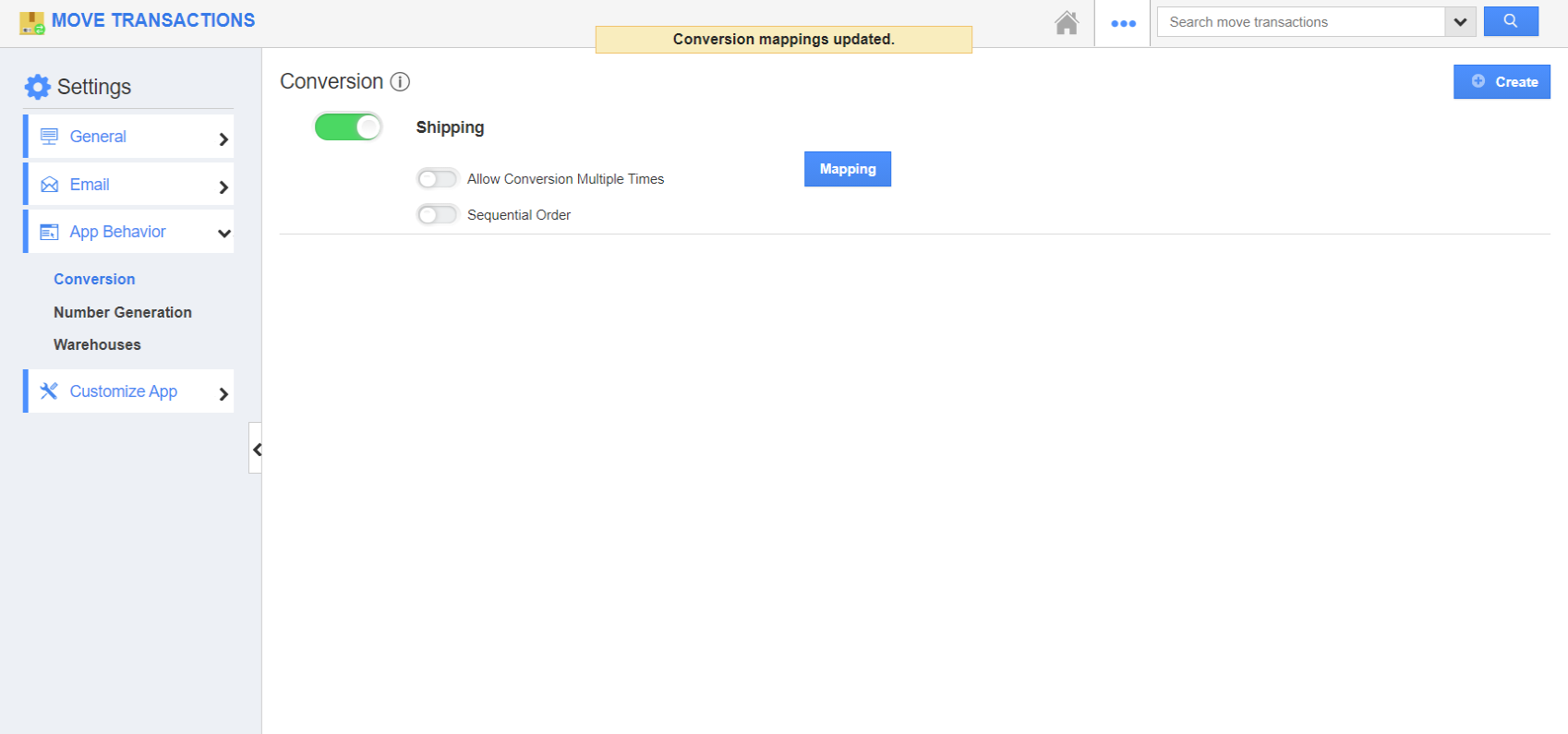
- Go to Settings → App Behavior → Conversion. Here, select Create to create a new conversion type.
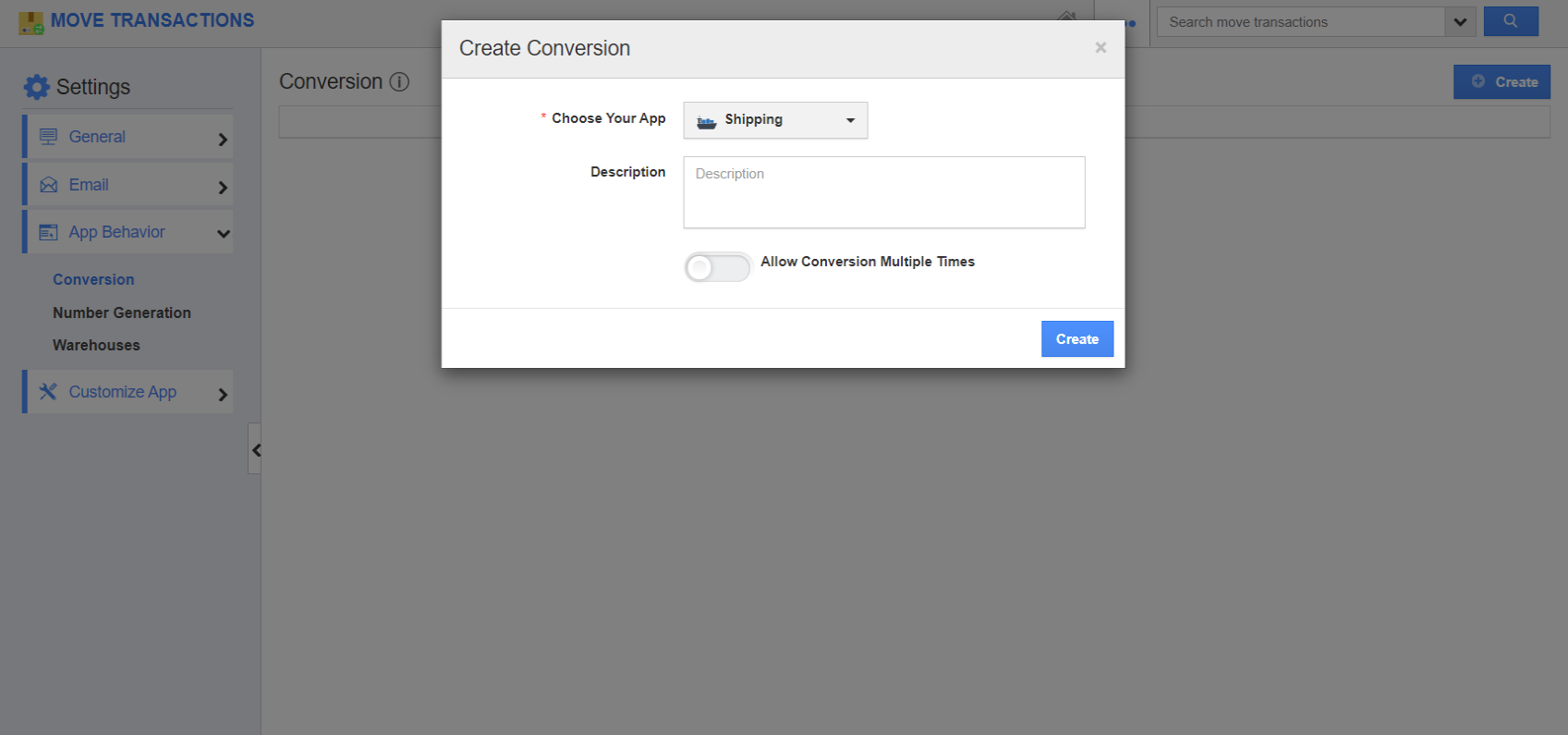
- In the Create Conversion window, select the destination app. Here, Shipping app.
- You can also add a description of the conversion. If you want a record to be converted multiple times, then enable Allow Conversion Multiple Times.
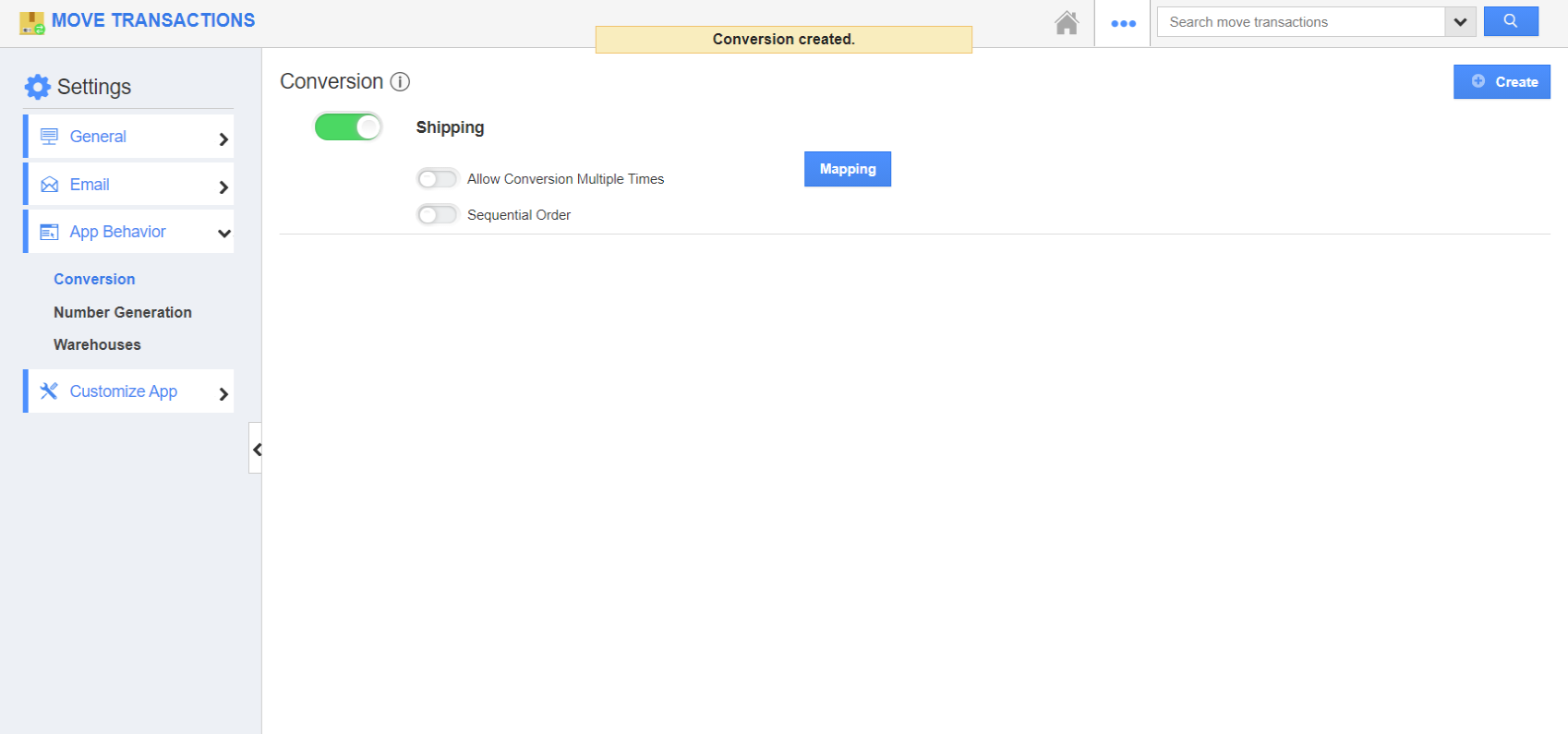
- Once the settings are configured, select Create. You can see the Conversion is created.
- To perform conversion to multiple applications in the overview page, enable the Sequential Order toggle.
- To perform the custom conversion, click on the Mapping feature.
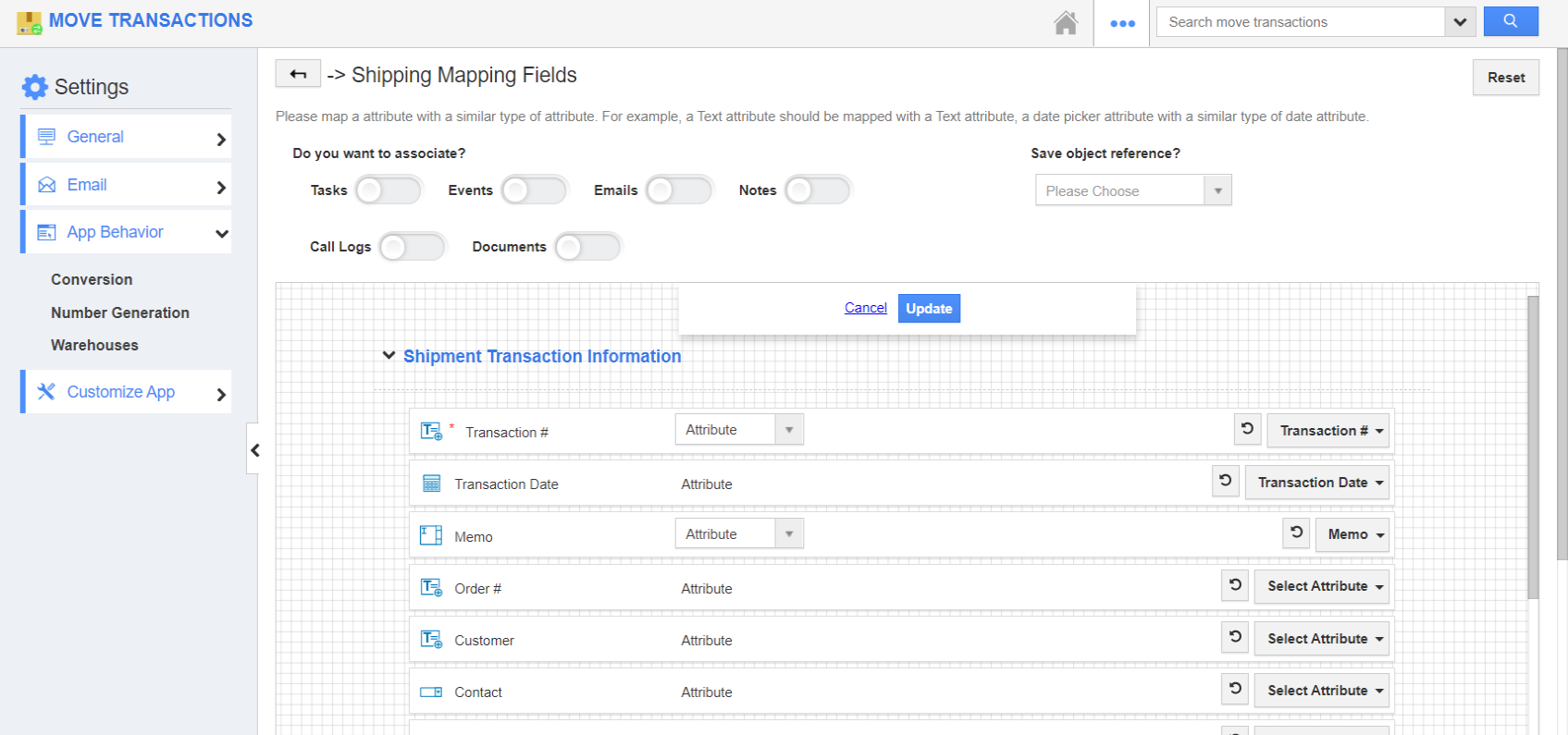
- In the mapping field, you can enable the activities which you want to associate with the Shipping App.
- You can also map the attributes of the Shipping app which you want from the Move Transactions app using the Select Attribute feature.
- Once the mapping is configured, select ‘update’.
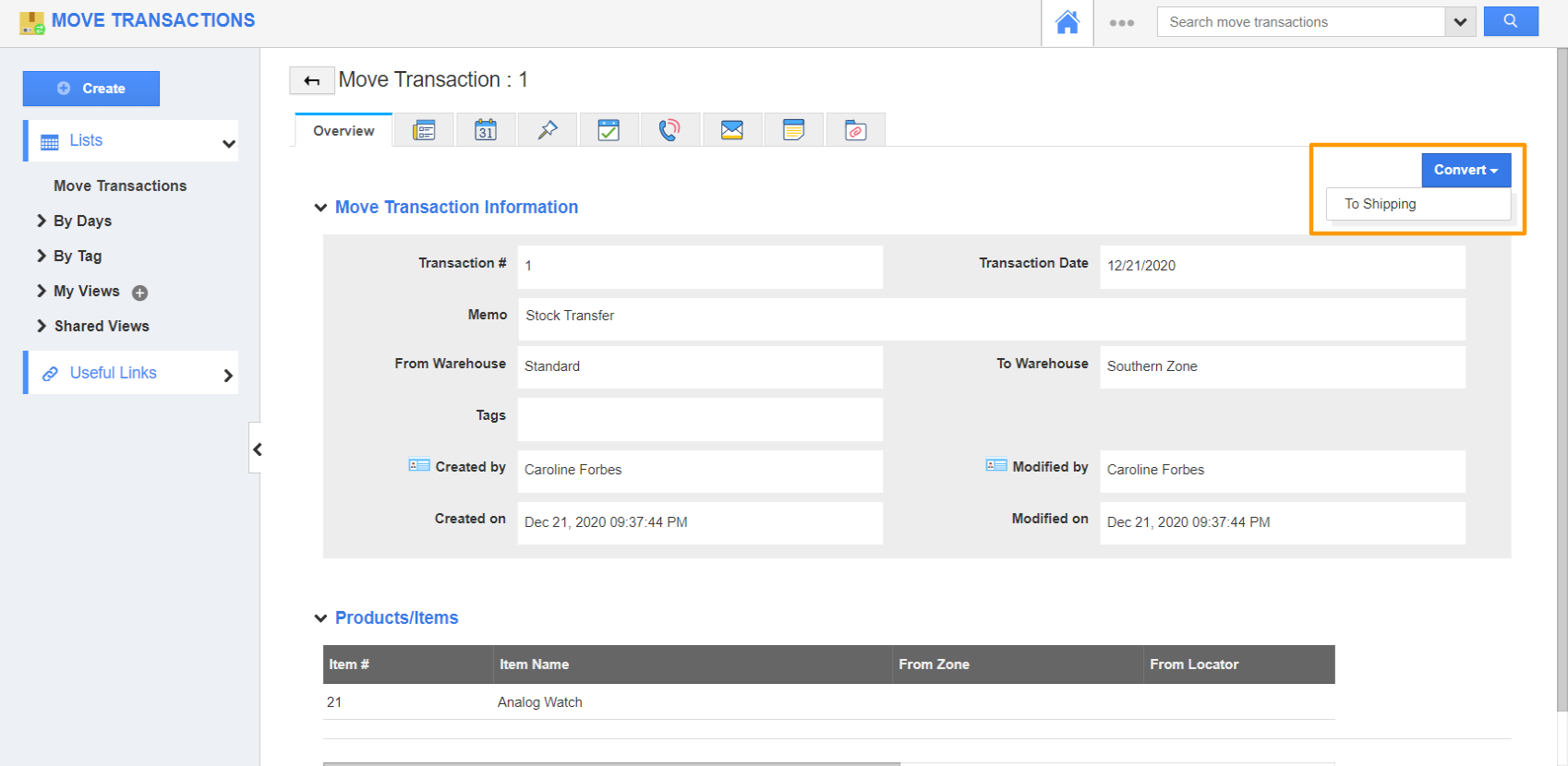
- Now create a new record in the Move Transactions app.
- Once the required information is added, click on the Convert button → To Shipping.
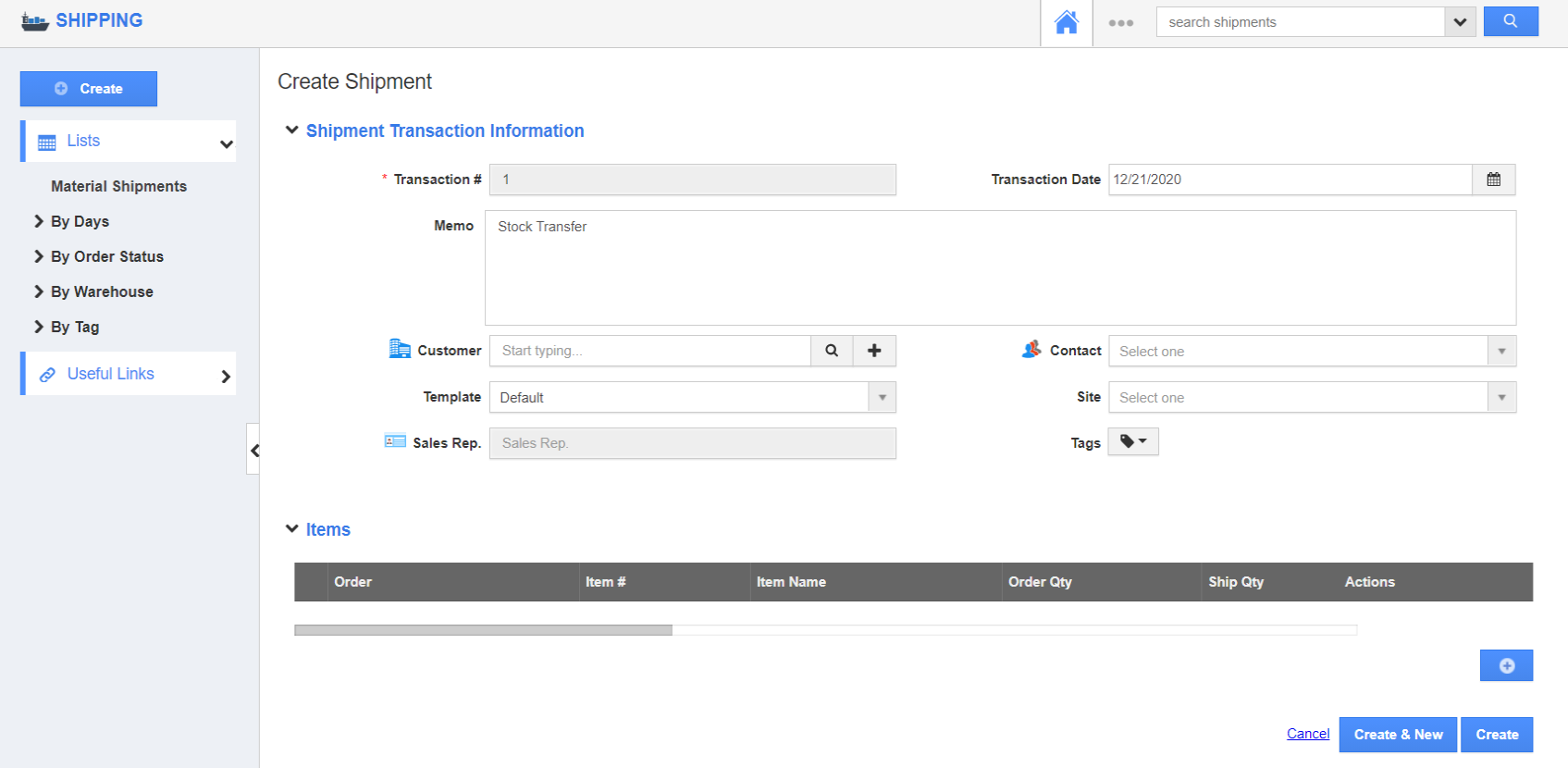
- You will be redirected to the Create Shipment page where the mapped attributes will have the values from the move transaction record.