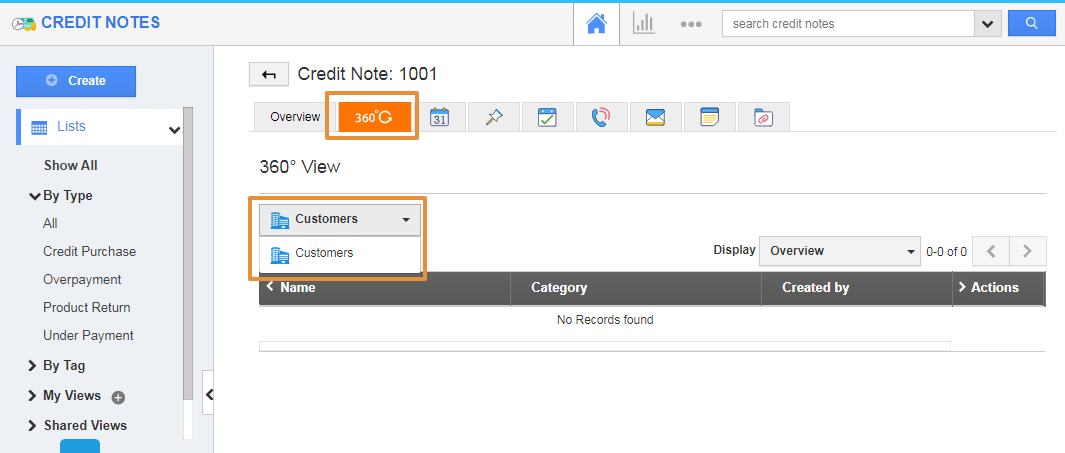
The 360-degree view allows you to view all the objects in Apptivo, that is associated with the current credit notes you are looking at.
In the 360 Degree view, you can see only the Customers App is visible.
Steps to customize the 360 Degree Views
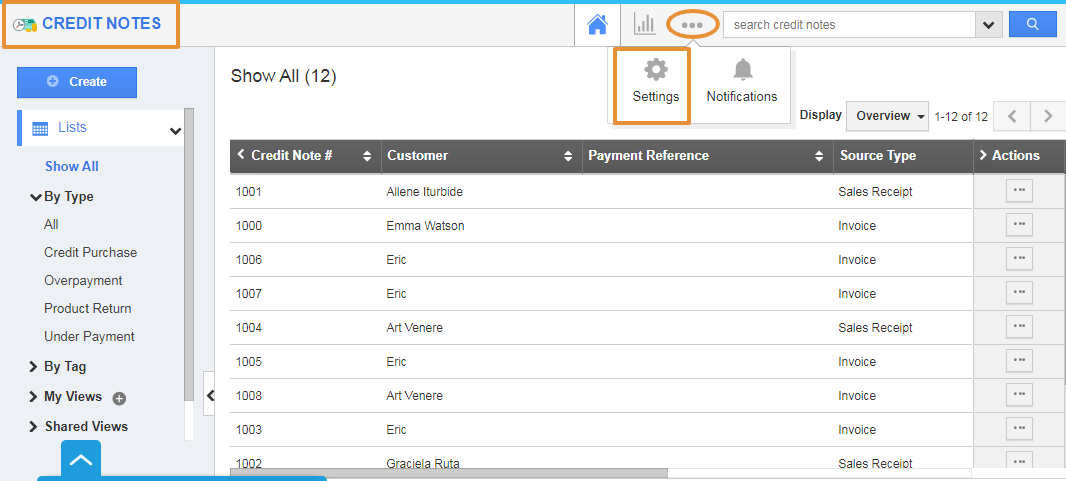
- Login and access the Credit Notes app from the universal menu.
- Click on the More(...) icon and select the settings.
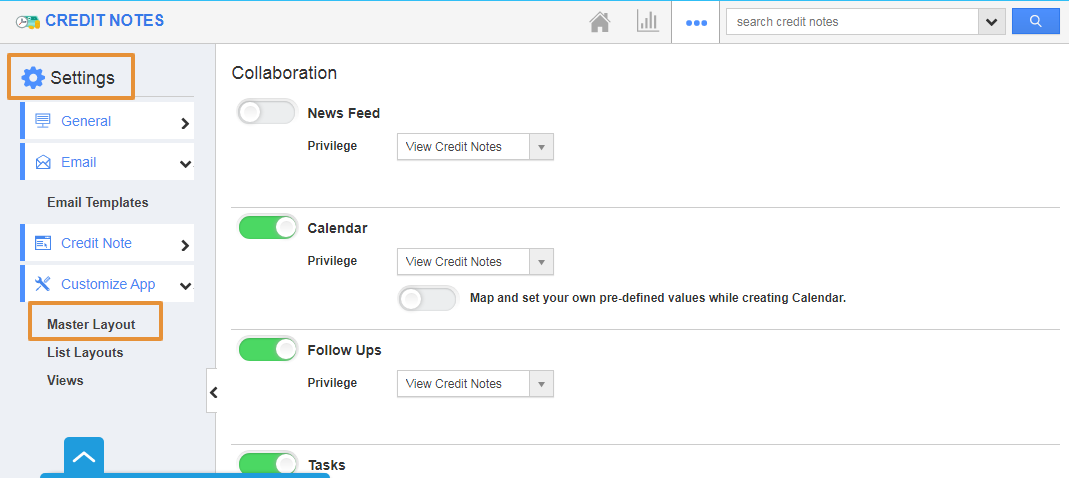
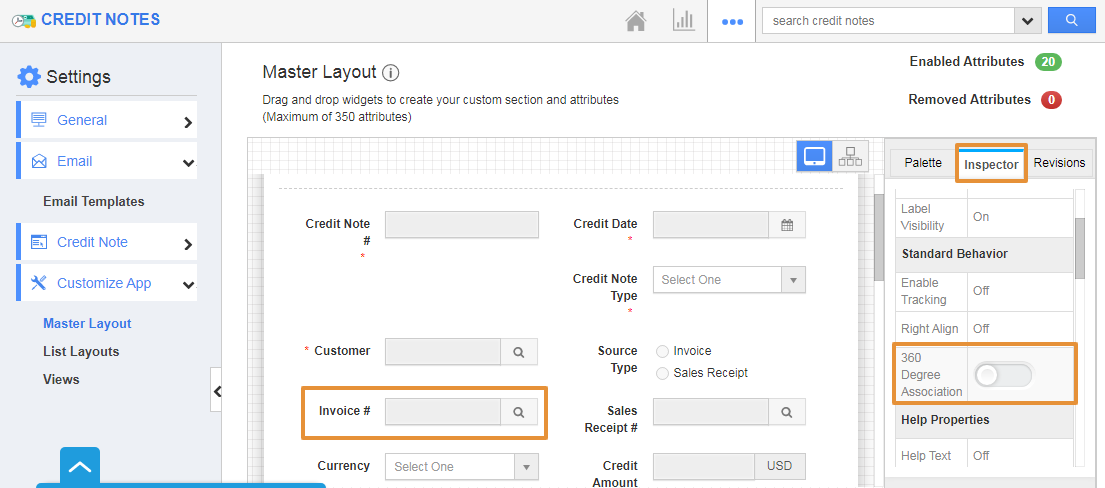
- In the Settings page, click on the Customize App and selects the Master Layout.
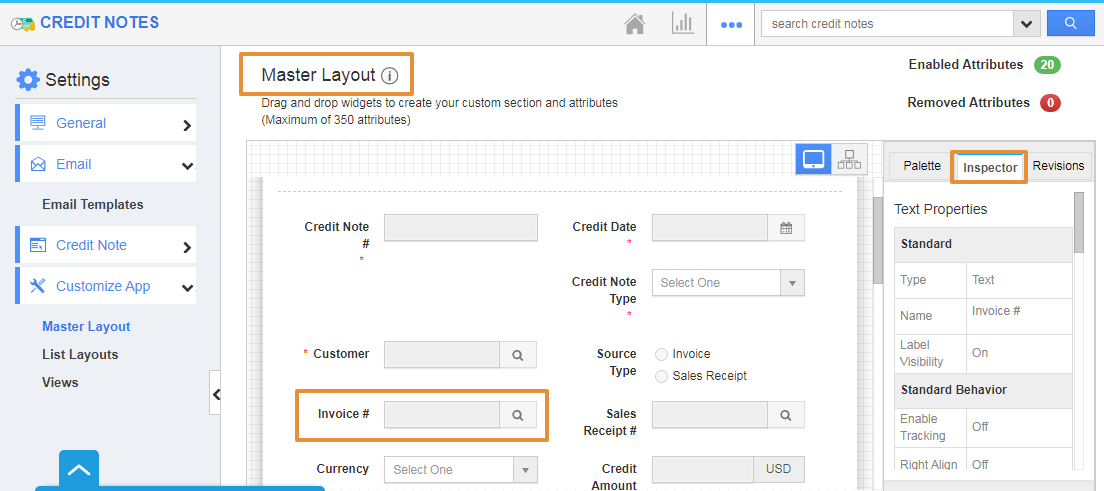
- In the Master Layout, click on the Invoice Attribute.
- You will be navigated to the Inspector tab on the right side.
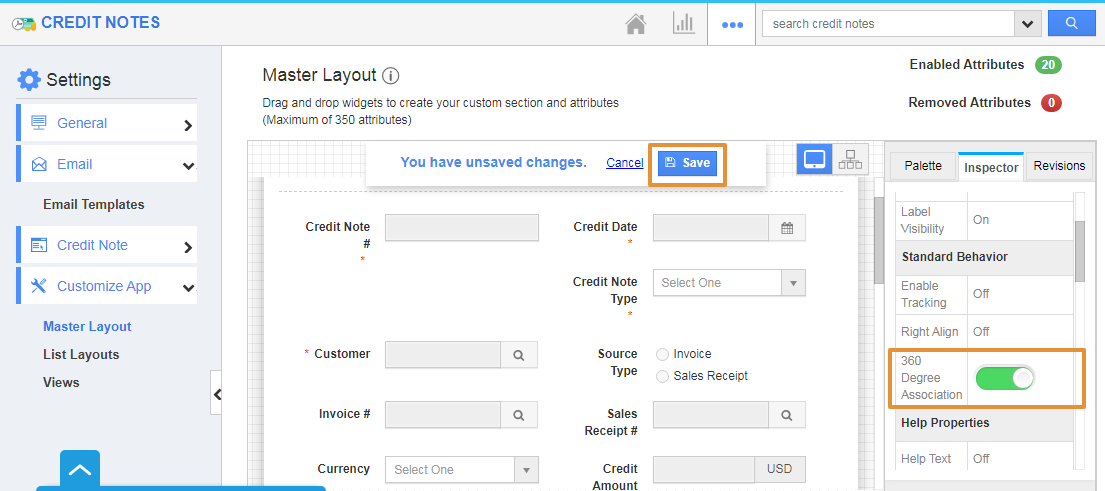
- In the Inspector tab, you can view the 360 Degree Association Toggle under the Standard Behaviour.
- Enable the Toggle.
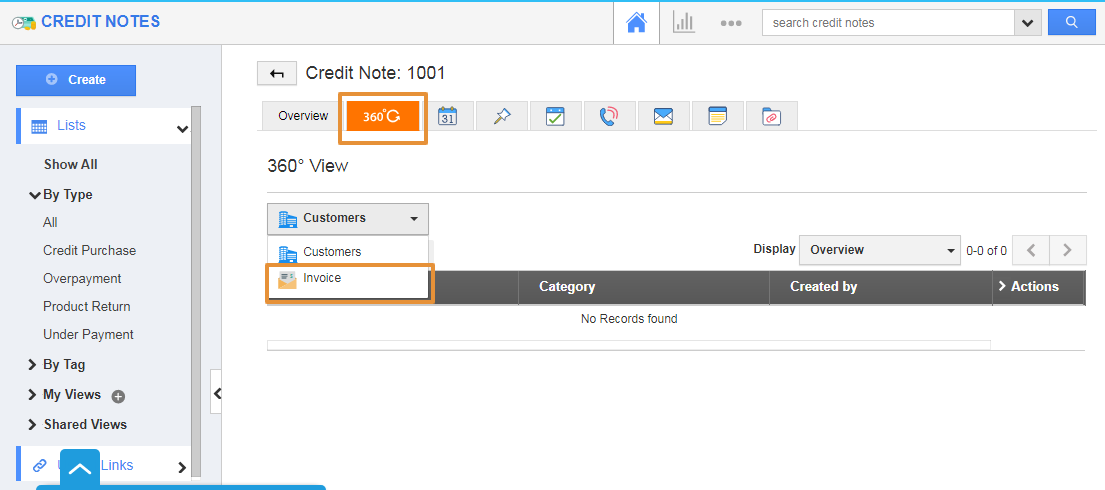
- Now, go to the Credit Notes Overview page.
- Click on the 360 Degree View Tab.
- You can view the Invoice app on the App Dropdown.