Browse by Solutions
Browse by Solutions
How to set default sort ranges in the Cases App in Apptivo?
Updated on February 24, 2020 02:09AM by Admin
There are instances where you want the cases to be pre-organized for easily acquiring the information. Rather than choosing a sort range every time, you can save time by setting up a default Sort Range. Cases App in Apptivo allows you to set the default sort ranges from the list Layouts section.
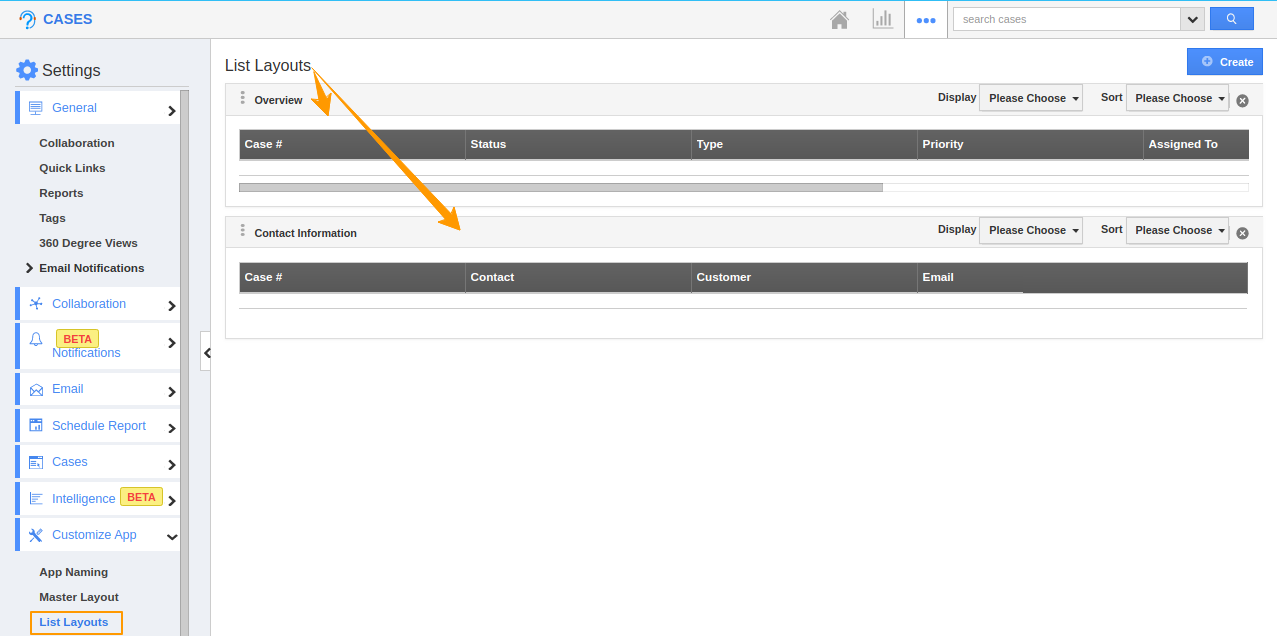
- Go to Settings → Customize App → List Layouts. You can see the list layouts which are already available in the Cases App.
 |
For Instance: Consider you want to configure the default sort range for the Overview list layout.
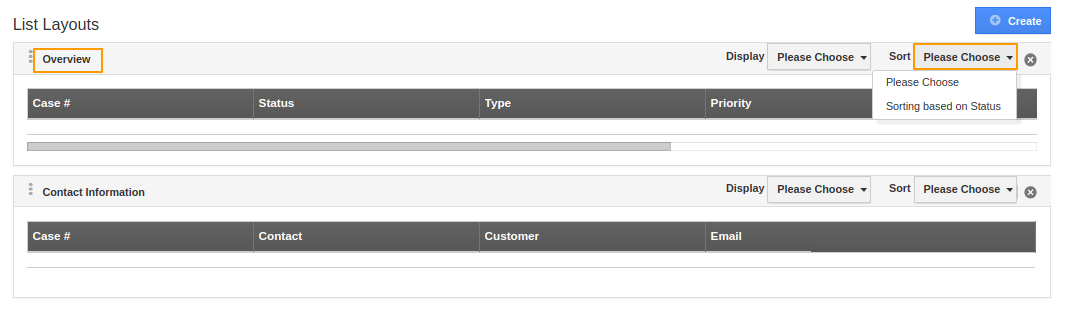
- Navigate to the Overview list layout and select the dropdown for Sort. You can see the list of Sort Ranges available.
 |
- Select the desired Sort Ranges.
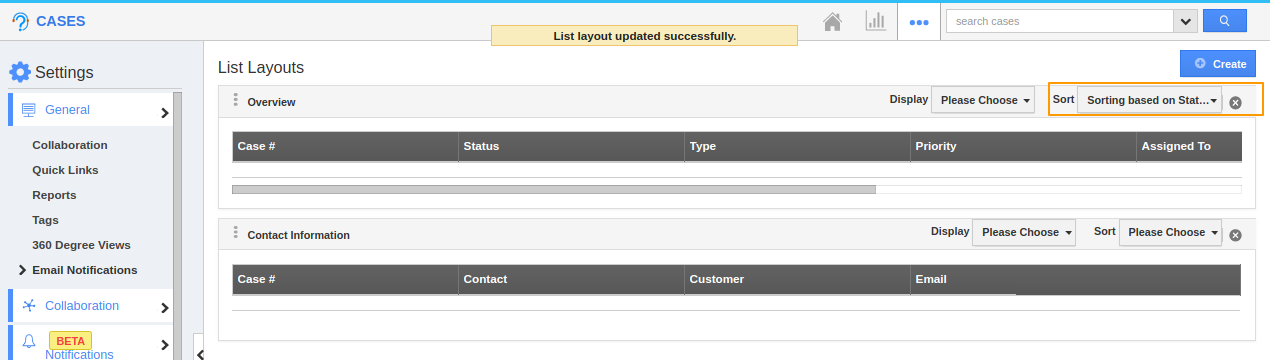 |
- Now, go to the Show All page. You can see by default, the cases are sorted according to the desired sort range when the list layout is chosen as Overview.
 |
Flag Question
Please explain why you are flagging this content (spam, duplicate question, inappropriate language, etc):