You can clock in the man-hours using the Timesheets App. Keep track of the productive hours of Employees using Timesheets. Instead of designing a new Timesheet every time, you can simply create templates and use them.
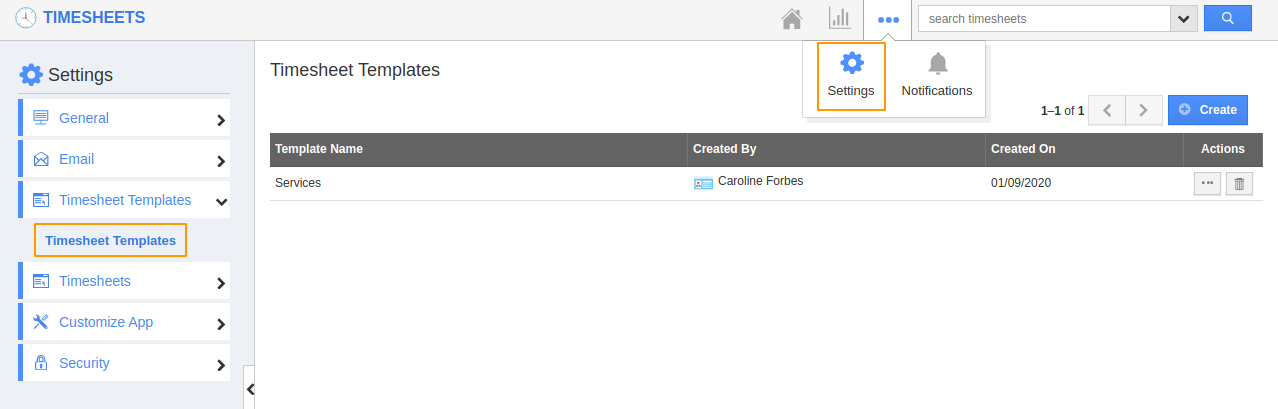
- Go to Settings in the Timesheets App and select Timesheet Templates.
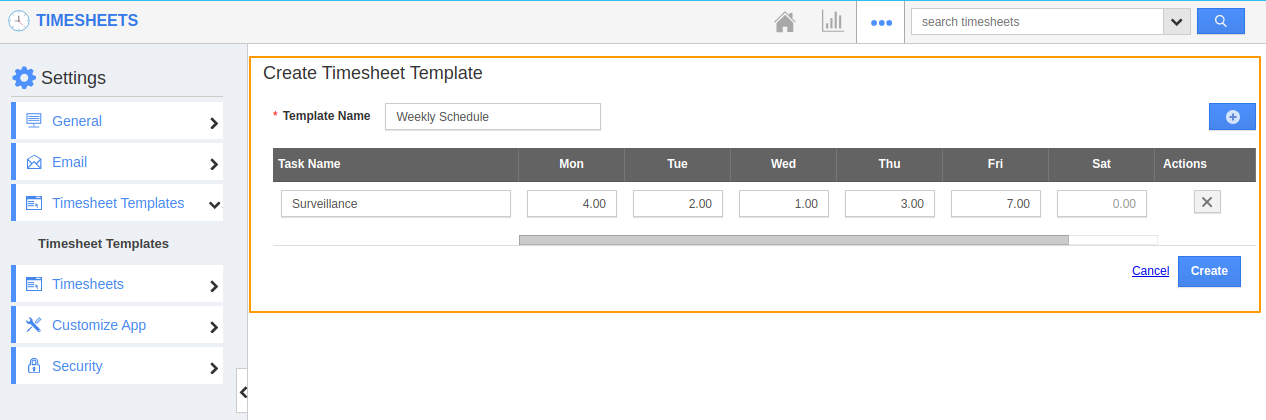
- Select Create to create a new Timesheet template. In the Create Timesheet Template page, add a name for the Template.
- You can also add the task name and the service hours. Once the details are added, select create to create a new template.
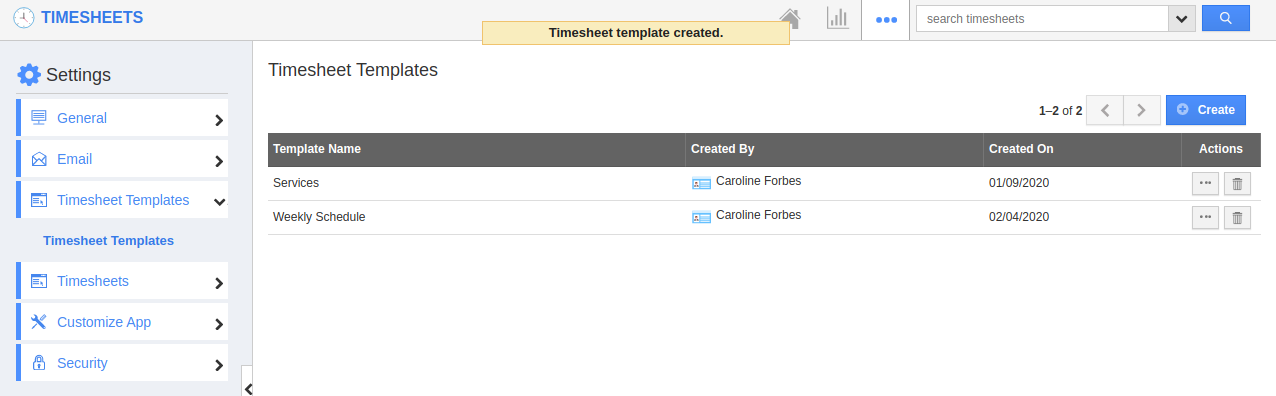
- You can see a new template is created.
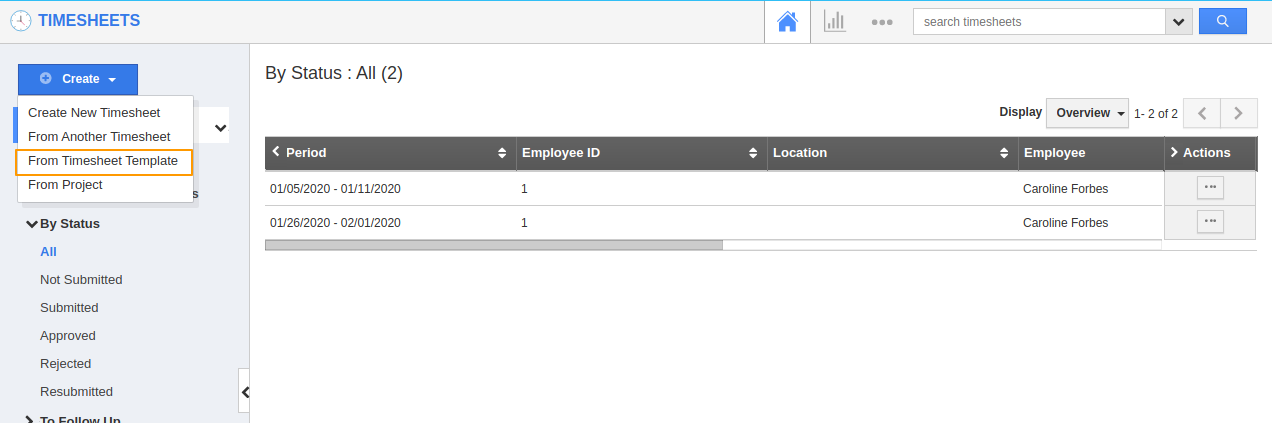
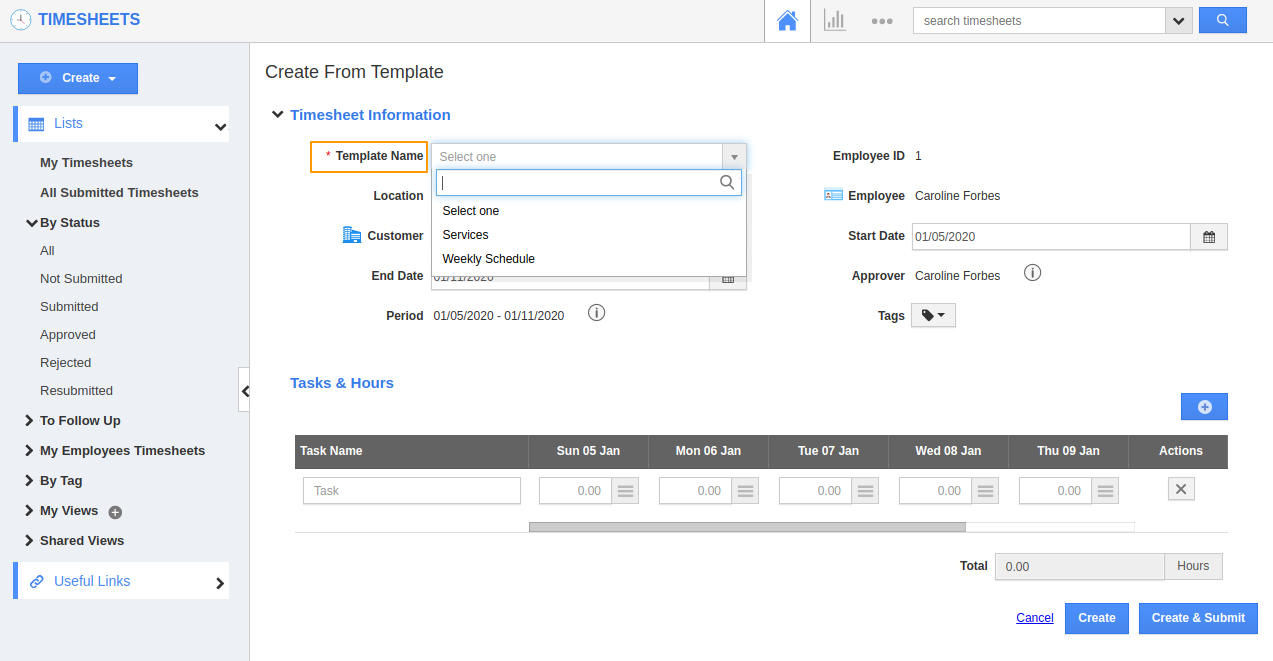
- Now, navigate to the Home page in the Timesheets App. Select Create from Timesheet Template.
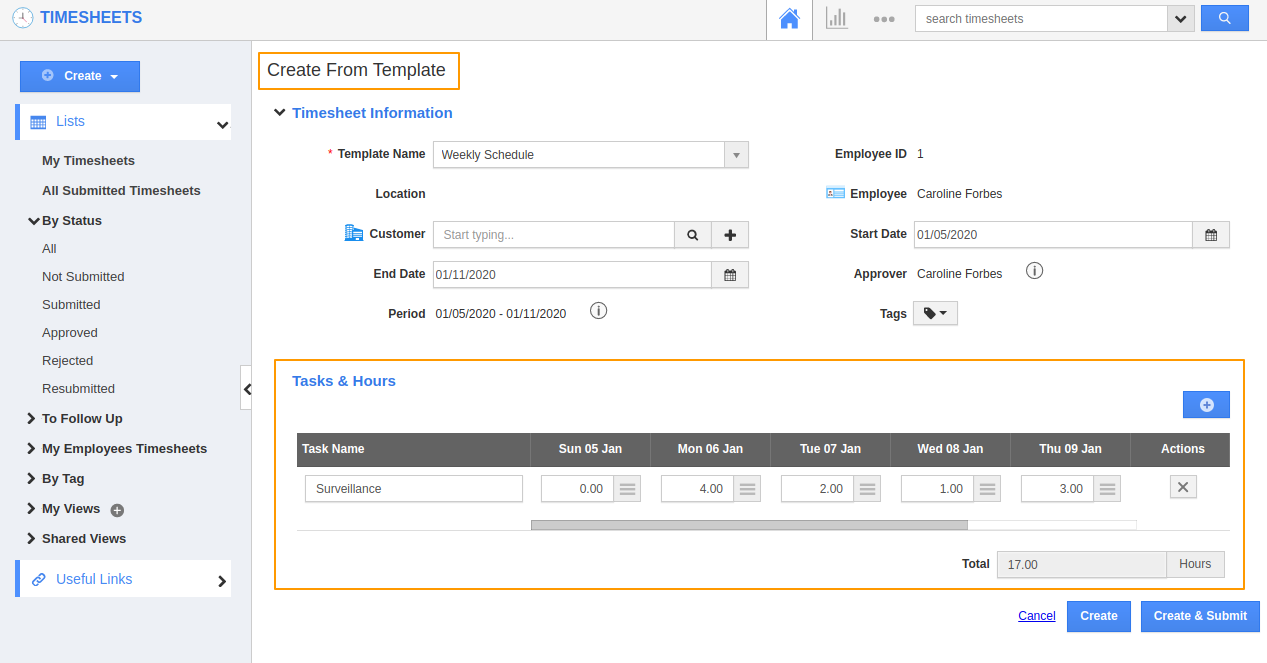
- You will be redirected to Create From Template page. Here, you can select the template name from the dropdown.
- On selecting a template, the task information will be pulled automatically.
- If any additional changes are required, you can make modifications to it. On completion, you can create and submit the timesheet for approval.